

Best Graduation Party Invitations for Class of 2026
For customizable, photo-friendly, ready-to-order graduation party invitations, Invitationbox is the clear choice. You get an easy template editor, Snap Stamp and embosser accessories for a polished keepsake finish, transparent per-unit pricing, and fast production turnaround — all in one place.
Here’s the fastest way to get your order started:
- Choose a template from the graduation collection (photo collage, minimalist, school-color themes, and more)
- Upload your photo and crop it to fit the layout
- Select your paper and finish (matte, glossy, or linen)
- Add a Snap Stamp or embosser for return-address personalization on envelopes
- Request a digital proof and approve before printing
Pro Tip: Order a small batch of printed keepsake invites for family and grandparents, then send a digital version to your larger friend group. You save on postage and still have something beautiful to tuck into a memory box.
Table of Contents
- What should you look for in graduation party invitations?
- How Invitationbox invitations work: templates, Snap Stamps, and ordering
- What design styles work best for graduation invitations?
- Wording templates you can copy for any graduation party tone
- When should you order and send graduation invitations?
- Printed invitations vs digital invites: which one is right for you?
- How to customize your invitation step by step
- How much do graduation invitations cost, and how many should you order?
- Key Takeaways
- Why the invitation matters more than most people think
- Ready to order your Class of 2026 graduation invitations?
- Useful sources for planning and inspiration
What should you look for in graduation party invitations?
The best graduation party invitations do more than look pretty. They communicate clearly: the graduate’s name, the type of celebration, the full venue address, the date and time, and an RSVP contact with a deadline. Miss any one of those details and guests are left guessing.
Beyond content, here’s what to evaluate when comparing providers:
- Print quality and paper weight: Heavier card stock with substantial weight holds up in the mail and feels substantial in hand.
- Template variety and photo support: Look for layouts that accommodate a portrait or landscape photo without awkward cropping.
- Customization controls: Font choices, color swaps, and layout adjustments should be easy to make without design experience.
- Proofing and return policy: A digital proof before printing is non-negotiable. Confirm the provider’s policy on misprints.
- Shipping lead times and rush options: Standard production plus shipping can take about one to two weeks; rush options should be clearly listed.
- Pricing transparency: Per-unit pricing should be visible before you reach checkout, with quantity breaks shown.
- Customer support: A real support channel (chat, email, or phone) matters when you’re on a tight timeline.
Party type shapes your priorities. A casual backyard BBQ can get away with a fun digital invite or a simple flat card. A formal reception calls for heavier stock, envelope liners, and possibly an embossed return address. For large guest lists, per-unit pricing and bulk discounts become the deciding factor.
Features that genuinely save time include built-in RSVP tracking (available on digital platforms), downloadable e-card versions, and coordinating stationery sets (matching RSVP cards, envelopes, and thank-you notes). When everything ships together, you avoid the scramble of sourcing envelopes separately.

How Invitationbox invitations work: templates, Snap Stamps, and ordering
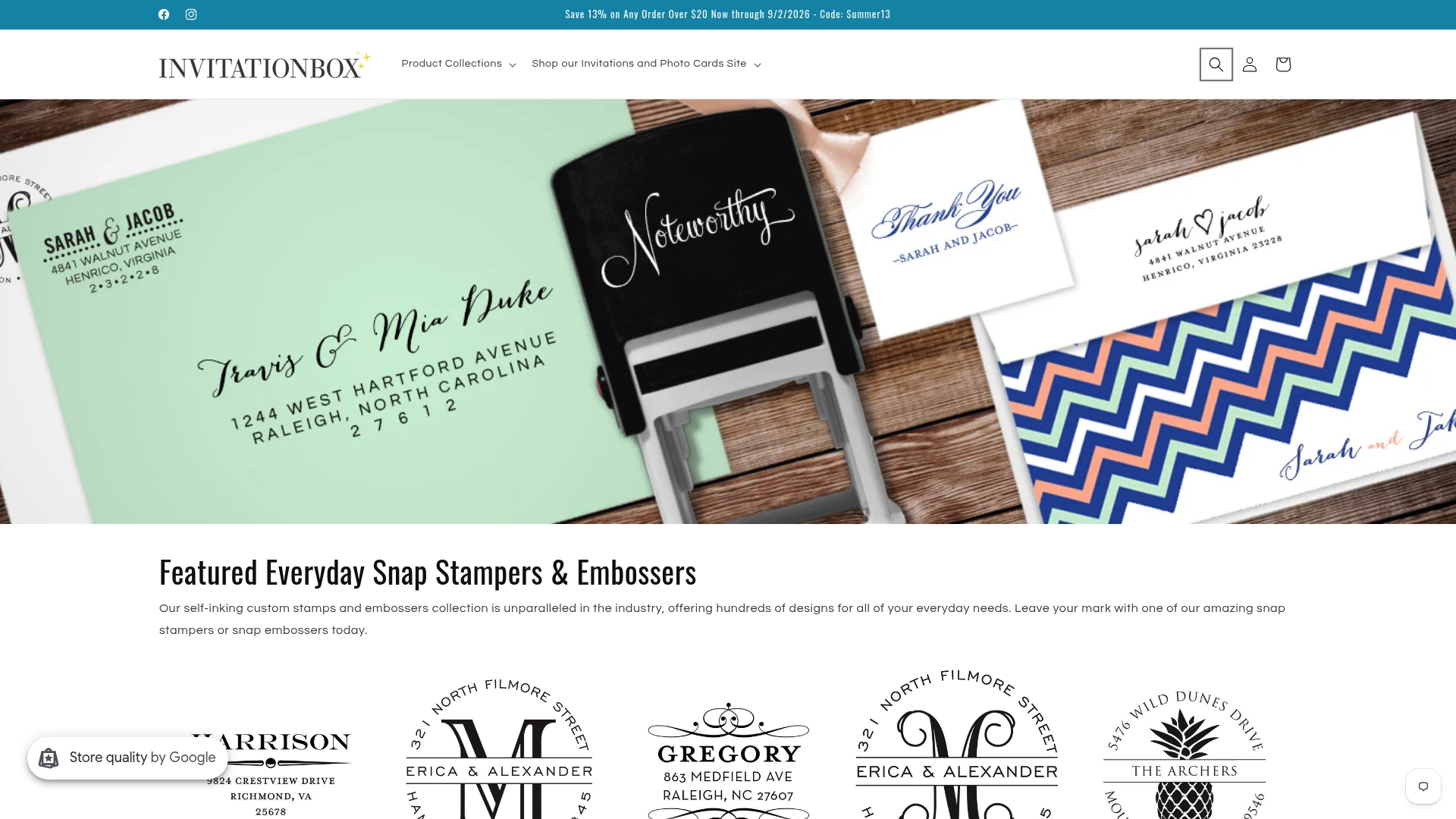
Invitationbox offers a full suite of graduation stationery, from photo cards and folded invitations to matching RSVP cards, envelopes, and a wide range of stamper and embosser accessories. The stamp and embosser collection is one of the most distinctive parts of the catalog, giving your envelopes and keepsake cards a professional, personalized finish that sets them apart from standard printed invites.
Product highlights include:
- Corner Scrolls Square Stamper or Embosser — elegant corner-scroll motif, ideal for formal graduation announcements
- Classic Scroll Square Stamper or Embosser — a timeless design that pairs beautifully with traditional invitation styles
- Modern Scroll Stamper or Embosser — clean lines for contemporary layouts
- Horseshoe Stamper or Embosser — a charming motif for themed or rustic celebrations
- Jolly Rogerette Stamper or Embosser — playful and bold for graduates who want something unexpected
- Extra Ornamental Stamper or Embosser — rich detailing for formal keepsake invitations
- Fun Holiday Confetti Photo Card — a festive photo card format that works beautifully for graduation celebrations
- Believe Photo Card — an inspirational photo card design suited to milestone messaging
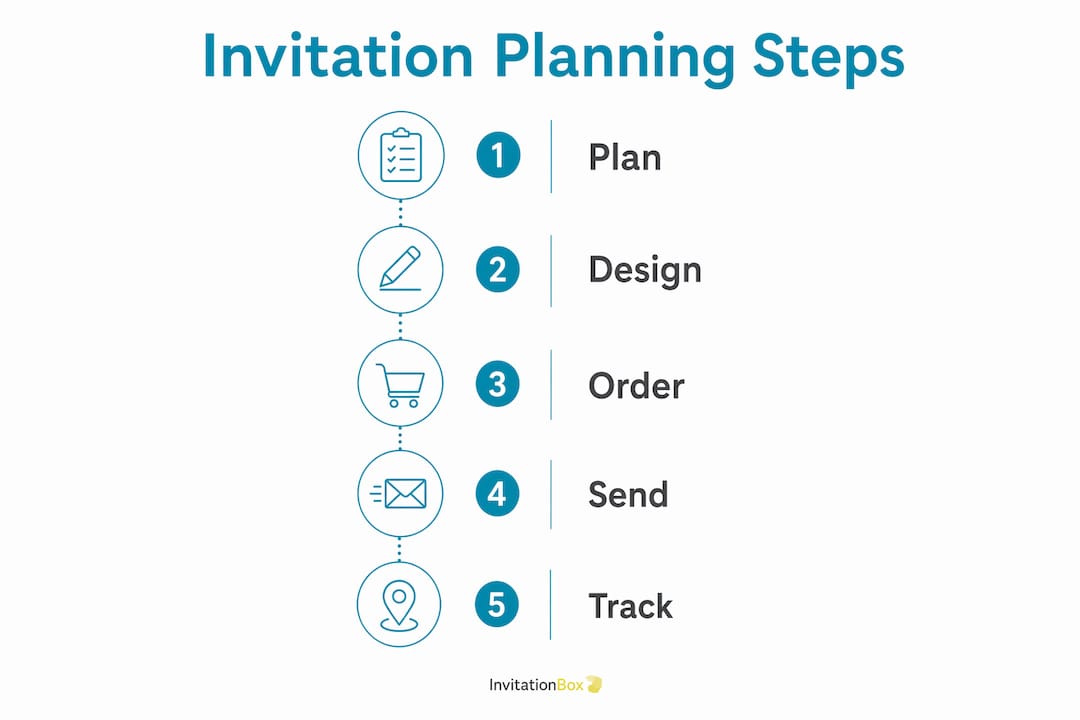
The ordering process at Invitationbox follows a clear, step-by-step flow:
- Browse the graduation template collection and select a design
- Upload your photo(s) and adjust the crop within the editor
- Choose your paper weight and finish (matte, glossy, or linen)
- Select envelope style and color
- Add a Snap Stamp or embosser for return-address personalization
- Enter all party details: graduate’s name, date, time, venue, and RSVP information
- Request a digital proof and review it carefully
- Approve the proof and complete checkout
The Snap Stamp is a proprietary Invitationbox product. It creates a self-inking stamp you can use on every envelope in your stack, stamping a return address or decorative motif in seconds. For anyone mailing 50 or more invitations, it’s a genuine time-saver. You can read more about creative stamp uses on the Invitationbox blog.
| Fulfillment Stage | Typical Timeframe |
|---|---|
| Digital proof turnaround | 1–2 business days |
| Standard production | 3–5 business days |
| Standard shipping (USPS/UPS) | 3–7 business days |
| Rush production (where available) | 1–2 business days |
| Total (standard) | 7–14 business days |
| Total (rush) | 4–7 business days |
Invitationbox has been operating for many years, and that history shows up in the details: clear sample approvals, a customer service team you can actually reach, and a return policy that covers printing errors. Order a physical sample if you have time; it’s the best way to confirm paper weight and color accuracy before committing to a full print run.
What design styles work best for graduation invitations?
The style you choose should reflect the graduate’s personality and the party’s tone. A few categories consistently land well:
Photo collage layouts are the most popular for high school and college grads. A full-bleed portrait on the front with a clean text block on the back is classic and personal. Landscape orientation works well for candid shots; portrait orientation suits formal cap-and-gown photos.

Minimalist and modern designs use white space, bold typography, and a single accent color (often the school color) to let the graduate’s name and photo do the work. These age well and look polished without feeling overdone.
Foil-accented and formal cards signal a more elevated event. Gold or silver foil on a dark background reads as a reception-level invitation rather than a casual party notice. Pair these with a matching envelope liner for the full effect.
Rustic and floral styles suit outdoor parties and garden receptions. Soft watercolor florals in the school’s colors are a warm, personal touch.
Humor and novelty cards are having a moment. A funny graduation invitation wording paired with a candid photo (think: the grad mid-eye-roll at a textbook) works perfectly for casual backyard parties and friend groups who appreciate a laugh.
For middle school grads, keep the design bright and energetic. College and advanced-degree graduates often prefer something more refined: a single strong photo, clean serif typography, and a muted palette. Doctoral and professional-degree celebrations can lean into formal foil or embossed details to honor the weight of the achievement.
Small accents make a big difference. Adding an embossed motif to the envelope flap, or using a Snap Stamp for the return address, elevates even a simple flat card into something that feels considered and complete. The Invitationbox blog has a helpful collection of personalized graduation invitation ideas if you want to see these combinations in action. For print sizing, a standard 5×7-inch card is the most common format and fits widely available envelopes; smaller 3.5×5-inch cards work for casual notes or save-the-dates.
Wording templates you can copy for any graduation party tone
Good invitation wording is direct, warm, and complete. Every version below covers the five W’s and includes an RSVP line. Copy, adjust the details, and paste directly into your editor.
Formal (hosted by parents): Mr. and Mrs. David Chen joyfully invite you to celebrate the graduation of their daughter, Lily Chen, from Stanford University. Please join us for a dinner reception on Saturday, June 14, 2026, at 6:00 PM. The Fairmont Hotel, 950 Mason Street, San Francisco, CA. Kindly RSVP by June 1 to events@chenmail.com.
Casual backyard BBQ: Lily did it! Come celebrate her graduation with us. Backyard BBQ at the Chen’s, June 14 at 3 PM. 412 Maple Drive, Palo Alto, CA. RSVP to Mom by June 1: (650) 555-0192. Your presence is the only gift we require.
Open-house / drop-in: You’re invited to drop by and celebrate Lily’s graduation! Open house: Saturday, June 14, 2026, from 1–5 PM. 412 Maple Drive, Palo Alto, CA. No RSVP needed — just come when you can.
College grad celebration: Please join us as we celebrate Lily Chen’s graduation from Stanford University with a Bachelor of Science in Computer Science. Dinner and toasts, June 14, 2026, at 7 PM. RSVP by June 1.
Advanced degree / graduate school: We are honored to invite you to a celebration in recognition of Dr. Lily Chen’s completion of her Doctorate in Biomedical Engineering. A reception will follow the hooding ceremony on June 14, 2026. Formal attire requested. RSVP by June 1.
Funny graduation invitation wording (casual): After years of coffee, cramming, and questionable life choices, Lily finally has the diploma to prove it was worth it. Come celebrate at our place — June 14, 3 PM. Burgers, drinks, and zero homework. RSVP by June 1.
A few etiquette notes worth keeping in mind:
- List hosts clearly at the top (parents, the graduate, or both)
- Set your RSVP deadline two weeks before the event so you have time to finalize headcount and catering
- For plus-one rules, add a line: “We have reserved ___ seat(s) in your honor” or “Please indicate the number in your party when you RSVP”
- A polite gift note (“Your presence is the only gift we require”) manages expectations gracefully without sounding demanding
Pro Tip: If you’re using a printed RSVP card, pre-address and stamp the return envelope. Response rates climb noticeably when guests don’t have to find a stamp themselves.
When should you order and send graduation invitations?
Timing is where most people underestimate the process. Production, shipping, and mailing all take time, and graduation season is one of the busiest periods for print providers.
A few weeks’ window before the party is the standard recommendation for ordering and sending printed invitations. For guests traveling from out of town, allow additional lead time so they can make travel arrangements.
Here’s a sample schedule that works for most graduation parties:
| Milestone | Timing Before Party |
|---|---|
| Finalize guest list and wording | 6–7 weeks out |
| Place order and request proof | 5–6 weeks out |
| Approve proof | 4–5 weeks out |
| Production completes | 3–4 weeks out |
| Mail invitations to guests | 3–4 weeks out |
| RSVP deadline | 2 weeks out |
| Final headcount to caterer/venue | 1–2 weeks out |
Set your RSVP deadline two weeks before the event. That gives you enough time to follow up with non-responders, confirm numbers with a caterer, and order any last-minute supplies. For open-house events where exact headcount matters less, you can shorten the RSVP window or skip it entirely.
Printed invitations vs digital invites: which one is right for you?
Both formats have a real place in a graduation celebration. The choice usually comes down to your timeline, your budget, and who’s on the guest list.
Printed invitations shine when:
- The event is formal (a dinner reception, a ceremony-and-party combination)
- You want a keepsake the graduate or family can save
- Older guests or relatives who aren’t comfortable with digital links are on the list
- You’re using premium paper, foil accents, or embossing that simply can’t be replicated on a screen
Digital invites make sense when:
- You’re working with a short timeline (a week or less)
- The guest list is large and mostly younger friends comfortable with online RSVPs
- Budget is tight and postage costs add up
- You want built-in RSVP tracking without managing a spreadsheet
The smartest move for many families is combining both. Send an e-card for speed to your broader friend group, then mail a printed keepsake to grandparents, close family, and VIP guests. You get the convenience of instant delivery and the warmth of something tangible for the people who matter most.
For printed invites, the standard 5×7-inch size fits A7 envelopes and is the most widely available format. Matte finishes photograph well and feel classic; glossy finishes make colors pop; linen texture adds a tactile elegance. Foil accents are best reserved for formal events where the extra cost is justified.
How to customize your invitation step by step
Customizing an invitation is straightforward when you know what to prepare before you open the editor. Here’s the full process:
- Pick a template that’s already close to your desired look. Changing only the photo and colors is faster than rebuilding a layout from scratch.
- Choose orientation and size. Portrait works well for cap-and-gown photos; landscape suits candid group shots.
- Upload your photo. Aim for an image at 300 DPI or higher, in JPEG or PNG format, with an aspect ratio that matches the template’s photo frame. A blurry or low-resolution image will show up in print even if it looks fine on screen.
- Set the photo crop. Zoom in to check that the graduate’s face is centered and not cut off at the edges.
- Pick fonts and colors. Stick to two fonts maximum (one for the headline, one for the body text) and pull accent colors from the school palette.
- Add all party details: graduate’s name, degree or school, date, time, venue address, RSVP contact, and deadline.
- Select paper, finish, and envelopes. Match the envelope color to the card’s background or accent color for a coordinated look.
- Add embossing or a Snap Stamp option for the return address on envelopes.
- Request a proof and review it at 100% zoom before approving.
Before you approve, run through this checklist:
- Graduate’s name spelled correctly
- Date, time, and venue address confirmed
- RSVP contact and deadline present
- Plus-one policy included if relevant
- Photo crop checked at full size
- No widowed words or awkward line breaks in the text
| Photo Spec | Recommended |
|---|---|
| Resolution | 300 DPI minimum |
| File format | JPEG or PNG |
| Aspect ratio | Match template frame |
| Minimum file size | 1 MB (for 5×7 print) |
For readers who want more customization ideas, the Invitationbox blog covers eight practical ways to personalize party invitations, including batch personalization for large orders. You can also explore how embossing transforms stationery for a deeper look at what the embosser options actually produce.
How much do graduation invitations cost, and how many should you order?
Per-unit pricing for printed graduation invitations varies by card type and finish. Economy flat cards can run under $1 each in larger quantities; premium photo cards with foil or specialty finishes typically fall in the $3–$6 range before extras like envelopes, embossers, and postage. Invitationbox pricing is listed per unit on each product page, with quantity breaks that reward larger orders.
Calculating how many to order:
Most guests receive one invitation per household, not per person. Start with your household count, then add:
- 10–15 extra cards as spares (for addressing mistakes, late additions, and keepsakes)
- One or two for the graduate to keep
- Printed RSVP cards if you’re including them (one per household)
| Item | Estimated Cost Range |
|---|---|
| Printed invitations (per unit, standard) | Under $1 (economy) to $3–$6 (premium/foil) |
| Snap Stamp or embosser | One-time purchase, varies by design |
| Rush production fee | Varies by provider |
| Printed RSVP cards (optional) | Additional per-unit cost |
Cost-saving moves worth considering:
- Send digital invites to your friend group and reserve printed cards for family and VIPs
- Choose standard matte paper instead of premium finishes for the bulk of your order
- Bundle your invitation order with a Snap Stamp for return addressing — it’s faster than hand-writing 80 envelopes and costs less than hiring a calligrapher
- Order RSVP cards only for guests who are unlikely to respond by email or text
- Check for quantity discounts before finalizing your order size; ordering 75 instead of 60 sometimes costs only a few dollars more per unit
For readers exploring print sizing and finish options in more detail, Shay’s Print Shop offers a helpful breakdown of standard print dimensions and paper types.
Key Takeaways
The best graduation party invitations combine a photo-forward template, clear wording, the right paper finish, and a Snap Stamp or embosser for a polished keepsake finish — ordered at least four to five weeks before the party.
| Point | Details |
|---|---|
| Order 4–5 weeks out | Standard production plus shipping typically takes about one to two weeks; rush options can reduce that to less than a week. |
| Set RSVP deadline 2 weeks before | Two weeks gives you time to confirm headcount and follow up with non-responders. |
| Approve your proof carefully | Read every detail aloud at 100% zoom to catch typos before printing. |
| Add a Snap Stamp or embosser | A self-inking Snap Stamp speeds up envelope addressing and adds a professional finish. |
| Invitationbox for your order | Invitationbox offers photo cards, templates, and Snap Stamp accessories in one place for Class of 2026 orders. |
Why the invitation matters more than most people think
There’s a tendency to treat the invitation as a formality — something to check off the list before the real planning begins. That’s a mistake. The invitation is the first thing guests hold in their hands, and it sets the emotional tone for everything that follows. A thoughtful, well-designed card signals that this celebration was planned with care. A generic, rushed one signals the opposite, even when the party itself is wonderful.
What people underestimate is how much the physical details contribute to that impression. Paper weight, a clean embossed return address, a photo that actually looks like the graduate rather than a blurry thumbnail — these are small things that add up to something guests notice without being able to articulate why. The Snap Stamp and embosser options at Invitationbox exist precisely for this reason. They’re not luxury extras; they’re the difference between an envelope that looks like it came from a printer and one that looks like it came from someone who cared.
The other thing worth saying plainly: don’t leave the wording as an afterthought. The template handles the design, but the words are yours. A line of genuine warmth (“After years of hard work, she finally gets to celebrate”) does more for a guest’s excitement than any font choice. Spend ten minutes on the wording before you open the editor, and the whole process goes faster.
Ready to order your Class of 2026 graduation invitations?
Invitationbox makes it easy to go from blank page to finished, personalized invitation in one sitting. Start with a photo card like the Believe Photo Card or the festive Fun Holiday Confetti Photo Card, then add a Classic Scroll Square Stamper or Embosser or a Corner Scrolls Square Stamper or Embosser to give your envelopes a polished, keepsake-quality finish. Every product ships with clear proof approval, and the Snap Stamp means you’ll have your return address handled before you seal the first envelope.
Select your template, upload your photo, choose your paper and embosser, and request your proof today. Your Class of 2026 celebration deserves an invitation that looks as good as the moment it’s marking.
Useful sources for planning and inspiration
These are the key references used throughout this article. Bookmark the ones most relevant to your planning stage.
- 21 Memorable Graduation Party Invitation Ideas | Paperless Post — Best for RSVP etiquette, gift-note wording, and the five W’s framework. Practical and well-organized.
- DIY Graduation Invitation Ideas | Adobe Express Blog — Best for the five-step design process and template-first customization tips.
- Free Online Graduation Invitation Maker | Adobe Express — Useful for photo specs, print sizing, and the hybrid digital-plus-print strategy.
- Graduation Announcements | Walmart Photo — Reference for per-unit pricing ranges across economy and premium card types.
- 5 Creative Ideas for Personalized Graduation Invitations | Invitationbox — Best for design inspiration and Snap Stamp personalization examples specific to graduation.
- Graduation Party Invitations | Evite — Useful for send-window guidance and the four-week ordering recommendation.
Recommended
- 5 Creative Ideas for Personalized Graduation Invitations – InvitationBox.com
- 5 Graduation Invitation Etiquette Tips for the Modern Graduate – InvitationBox.com
- Trendy Themes for Bachelorette Party Invitations That Wow – InvitationBox.com
- 20 Trendy Designs for Bachelorette Party Invitations Your Friends Will – InvitationBox.com