

Start With 5 × 7: Photo Card Sizes for Print, Envelope Fit, Postage
Start with 5 × 7 inches for most printed photo invitations, save-the-dates, and holiday cards. That size gives your photo room to shine while leaving space for names, dates, and warm little details, and it slides perfectly into A7 envelopes. Below, you’ll find exact dimensions, envelope matches, bleed rules, and simple file-prep tips so your cards print exactly the way you pictured them.
TL;DR:
- Most printed photo cards should be 5 × 7 inches to fit A7 envelopes and provide enough space for photos and details.
- Different occasions require specific sizes: 4 × 6 for casual messages, A2 for RSVP cards, and square formats for keepsakes or festive designs.
- Pair your card size carefully with envelope dimensions to prevent shifting or creasing, and check if square cards will incur extra postage.
- Crop and resize photos based on their final format before printing, focusing on focal points and leaving space around faces for clean cuts.
Table of Contents
- What Are the Standard Photo Card Sizes?
- Which Photo Card Size Fits Your Occasion?
- How Do You Prep Photos for Printing at the Right Size?
- Envelopes and Postage: Getting the Fit and the Cost Right
- Your Final Checklist Before You Hit “Order”
- Design Tips for Popular Photo Card Formats
- How Do You Crop and Scale Photos for Different Card Sizes?
- What InvitationBox Recommends When You’re Not Sure
- See These Photo Card Sizes in Action
- Sources
What Are the Standard Photo Card Sizes?
Every printed photo card starts from a handful of trusted dimensions, and once you know them, choosing your own becomes a lot less guesswork and a lot more joy. The most common finished sizes borrow from the greeting card world’s A-series naming, a system that helps you (and your printer) speak the same language.
Here’s the quick reference to keep handy while you shop:
A few things worth tucking away as you compare:
- A7, at 5 × 7 inches, is the size most families reach for because it fits A7 envelopes with generous room for a family photo and a heartfelt caption.
- 4 × 6 postcard-style cards skip the envelope entirely (or pair with a 4.25 × 6.25 mailer), which keeps mailing simple for casual holiday greetings.
- Square formats photograph beautifully on Instagram feeds and mantels alike, but they almost always need a matching square envelope, and squares can trigger extra postage. More on that shortly.
- Portrait orientation suits family photos with more people standing close together; landscape works nicely for wide scenic shots or side-by-side portraits.
Envelope sizing charts, including the one InvitationBox keeps in its envelope sizes guide, are worth bookmarking if you’re mixing and matching pieces from different collections.
Which Photo Card Size Fits Your Occasion?
The right dimensions depend less on personal taste and more on what your card needs to say and how far it has to travel.
- Wedding invitations call for the classic 5 × 7 (A7) format. Formal wording, multiple lines of detail, and a beautiful photo all need breathing room, and A7 envelopes are widely stocked, so guests never wonder if your invite got lost.
- Save-the-dates work beautifully at 4.25 × 5.5 (A2) or the playful 4 × 6 postcard format. The message is short by design, “mark your calendars”, so you don’t need the extra real estate a full invitation demands, and postcard-style mailing keeps postage predictable, per PrintPlace’s size guide.
- RSVP and detail cards should stay smaller than your main invite, typically A2 or a slim 4-bar equivalent, so the whole suite tucks neatly into one outer envelope. InvitationBox’s RSVP card size guide walks through exact pairings if you’re building a full suite.
- Holiday and family photo cards thrive at 5 × 7 for a classic look, or lean into a 5×5 or 6×6 square when you want something that feels a little more like a keepsake than a mailer.
- Thank-you cards typically run smaller, A2 or A6, since the message is brief and the focus stays on warmth rather than detail.
If you’re assembling a full suite, main invite plus RSVP plus details, keep the hierarchy simple: your biggest card carries the photo, and everything else nests inside it in descending size.
How Do You Prep Photos for Printing at the Right Size?
Getting a beautiful photo to print sharp starts long before you hit “order.” Print resolution and screen resolution are two different worlds, and mixing them up is the single most common reason a card comes out looking soft or pixelated.
The rule to remember: 300 dpi at final trim size. For a standard 5 × 7 card, that translates to roughly 1,500 × 2,100 pixels, a number worth writing down before you start uploading.
A short checklist to run through before you finalize your file:
- Build in bleed of about 0.125 inches (3 mm) beyond the trim line, so color and background extend cleanly to the card’s edge.
- Keep faces, names, and important text inside a safe area roughly 0.125 to 0.25 inches inside the trim, away from where the cutter blade travels.
- Match your photo’s orientation (portrait or landscape) to your chosen card shape rather than fighting it with awkward crops.
- Skip screenshots, texted photos, or heavily compressed downloads. Use the original camera file whenever possible, since image quality depends far more on file integrity than on filters.
- Export separate files for print and for digital sharing. What looks crisp on a phone screen can print blurry, and vice versa.
Pro Tip: If you’re ordering a large batch for a wedding or milestone birthday, request a printed proof before the full run. Screen colors and paper colors rarely match perfectly, and a $5 proof can save you from an unhappy surprise on 150 cards.
Envelopes and Postage: Getting the Fit and the Cost Right
Your card should sit slightly smaller than the envelope’s interior, generally about 1/8 inch of clearance on each side, so it slides in easily without looking swallowed up. A 5 × 7 card belongs in an A7 envelope; a 4.25 × 5.5 card belongs in an A2. Pairing sizes correctly isn’t just about looks. Envelopes that are too loose let cards shift and crease in transit.
A few mailing notes worth checking before you print:
- Square cards and envelopes frequently draw a postage surcharge because of their shape, so confirm current rates with your postal carrier before you commit to a square suite.
- Thicker cardstock or layered invitations may also bump your postage tier. InvitationBox’s postage rates guide breaks down what typically pushes a mailer into the next weight class.
- Inner and outer envelopes show up mostly in formal wedding suites. The inner envelope (unsealed, sometimes tissue-lined) holds the invitation and is addressed informally; the outer envelope carries postage and the full mailing address. If you’re using both, size the inner envelope about a quarter-inch smaller than the outer.
- Cardstock weight also affects how an envelope fits and feels in hand, something InvitationBox covers in its cardstock weight guide.
Your Final Checklist Before You Hit “Order”
A few minutes of double-checking here saves weeks of waiting for a reprint later.
- Confirm your final trimmed size matches the envelope you’ve chosen, and that your uploaded file includes bleed beyond that trim line.
- Check that your image resolution holds up at 300 dpi and that faces or text sit safely inside the trim, not crowding the edge.
- Request a printed proof if you’re ordering in bulk or the stakes feel high, and verify postage costs for anything square or heavily layered.
- If you’re sending a suite, confirm your RSVP and detail cards match the sizing hierarchy of your main invitation.
Pro Tip: Lay out your finished card at actual size on a piece of paper before ordering. Seeing 5 × 7 inches in your hands, next to your envelope, catches proportion problems no screen preview will show you.
Design Tips for Popular Photo Card Formats
Templates aren’t one-size-fits-all, and the best designers treat each format’s proportions as part of the design itself rather than an afterthought.
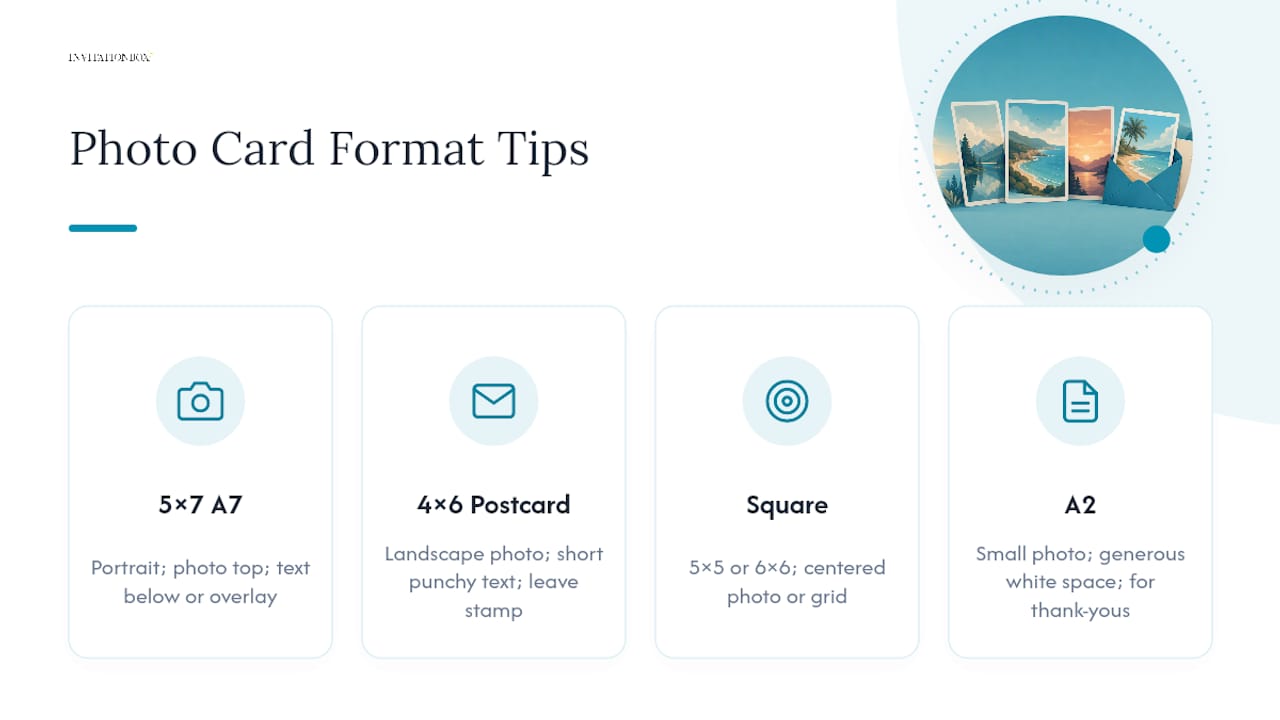
For 5 × 7 (A7) cards, the tall portrait shape favors a single strong photo up top with text anchored below, or a full-bleed photo with text overlaid in a clear, high-contrast band. This is the format most wedding and holiday templates are built around, so you’ll find the widest selection of layouts here.
4 × 6 postcard templates work best with a horizontal photo and short, punchy text, think “Save the Date” in large type rather than a paragraph of wording. Because postcards travel without an envelope, keep the mailing side clean and leave room for a stamp and address block.
Square formats (5×5 or 6×6) invite a more graphic, symmetrical layout. A centered photo with a thin border or a grid of smaller photos both read beautifully in a square frame, though text tends to work better in short bursts than long paragraphs, since square cards have less vertical room than a 5×7.
A2 cards (4.25 × 5.5), common for thank-you notes, favor a small photo paired with generous white space, letting the handwritten or printed message feel like the star rather than competing with a busy background.
Whatever format you choose, resist the urge to cram every design element in. A photo card’s charm often comes from restraint: one great photo, a few warm words, and enough white space for the eye to rest.
How Do You Crop and Scale Photos for Different Card Sizes?
The photo that looks perfect on your phone might need real adjustment once it’s stretched across a 5 × 7 card or squeezed into a 4 × 6 postcard, and cropping thoughtfully is what keeps that transition from feeling awkward.
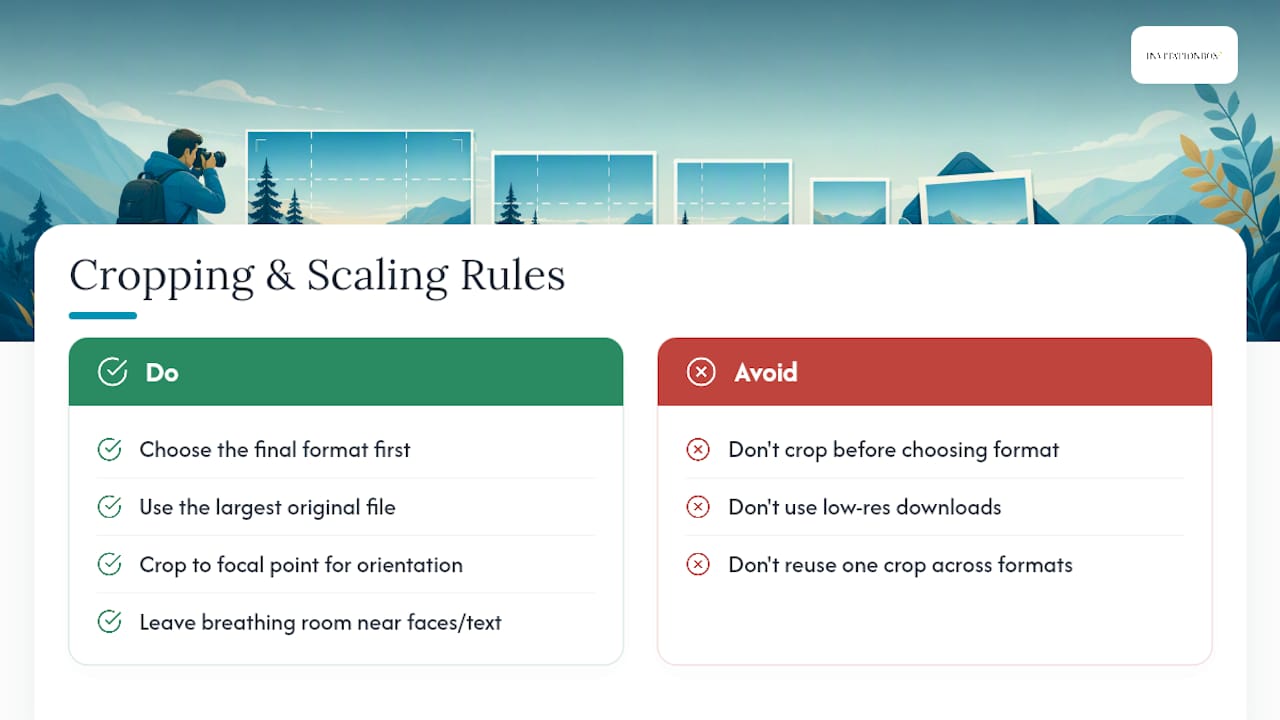
Start by choosing your final format before you crop anything. A photo cropped for a square card and later resized for a tall A7 card almost always loses someone’s shoulder or half a face, so decide the finished shape first, then crop to fit.
Use the largest original file you have. Cropping tightens the frame, which means you’re working with fewer pixels than the full image, so starting from a low-resolution download leaves little room to spare. When you’re moving a horizontal photo onto a vertical card format, look for a focal point, a face, a bouquet, a cluster of kids, and crop tight around it rather than trying to preserve the whole wide scene.
Leave breathing room around faces and text-heavy areas so nothing lands too close to the trim line once the card is cut. And if you’re using one photo across multiple pieces in a suite, a save-the-date and a thank-you card, say, crop each version separately for its own format instead of using one crop everywhere. What flatters a landscape 4×6 rarely flatters a square 5×5 without adjustment.
What InvitationBox Recommends When You’re Not Sure
Jon, who writes on sizing and print prep for the InvitationBox.com blog, points customers toward 5 × 7 as the sensible starting point for nearly any occasion, then adjusts from there based on message length and mailing budget. Short holiday greetings often move to 4 × 6 or a square format instead. If you’re stuck between two sizes, Some stationery providers offer support teams to help with envelope pairing and file requirements, and sample or proof requests through product pages can be a fast way to see paper, color, and size in hand before ordering in bulk.
— Jon
See These Photo Card Sizes in Action
Sometimes the easiest way to judge a size is to see it dressed up in an actual design. The Christmas Calligraphy Photo Card pairs a classic script layout with generous photo space, available in the standard sizing options common to holiday mailers. The Believe Photo Card leans into a warm, minimalist look that works well whether you’re sending one big family photo or a small cluster of favorites. And the Fun Holiday Confetti Photo Card brings a playful, colorful border that suits families who want their card to feel as festive as the season itself.
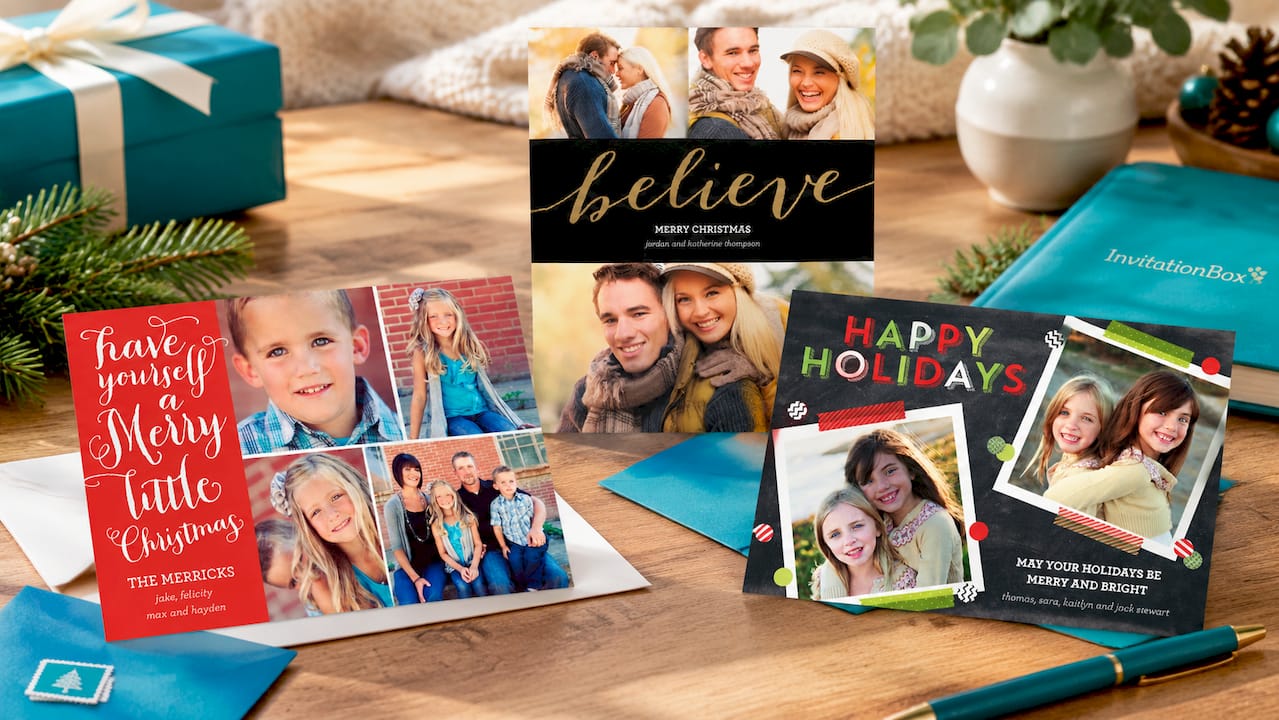
Each design comes with sized options built around the formats covered above, so you can match your photo, your message length, and your envelope without any extra math. Browse the full photo card collection on InvitationBox to compare layouts side by side, or open any product page directly to check sizing, paper options, and turnaround before you place your order.
Sources
- Invitation Card Sizes: Standard Dimensions for Print & Digital
- Photo invitation tips: best image sizes, cropping and print quality for cards
- The Standard Invitation Size Guide: Formats, Uses, and Other Tips
- Guide to greeting card dimensions